Table of Contents
What Is Higgsfield AI?
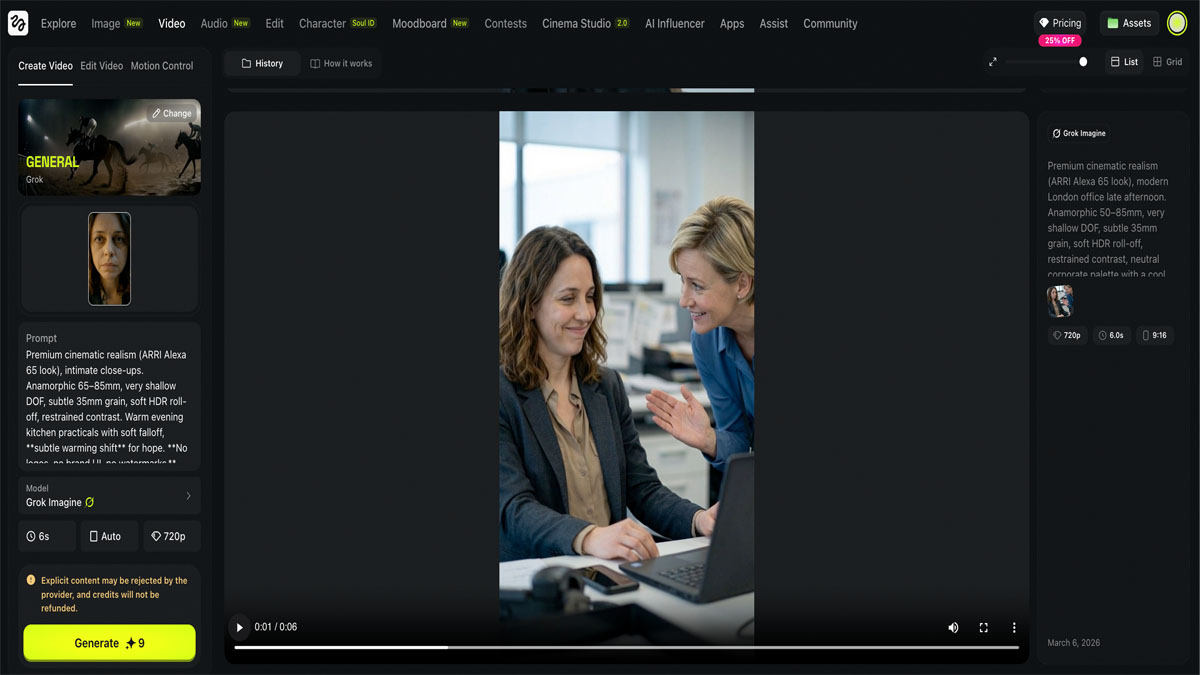
Higgsfield AI is a generative video platform founded in 2023 by Alex Mashrabov (former head of generative AI at Snap, inventor of Snap Lenses) and Yerzat Dulat (AI researcher specializing in generative video). Based in San Francisco, the platform transforms text prompts, images, and product links into cinematic-quality video clips.
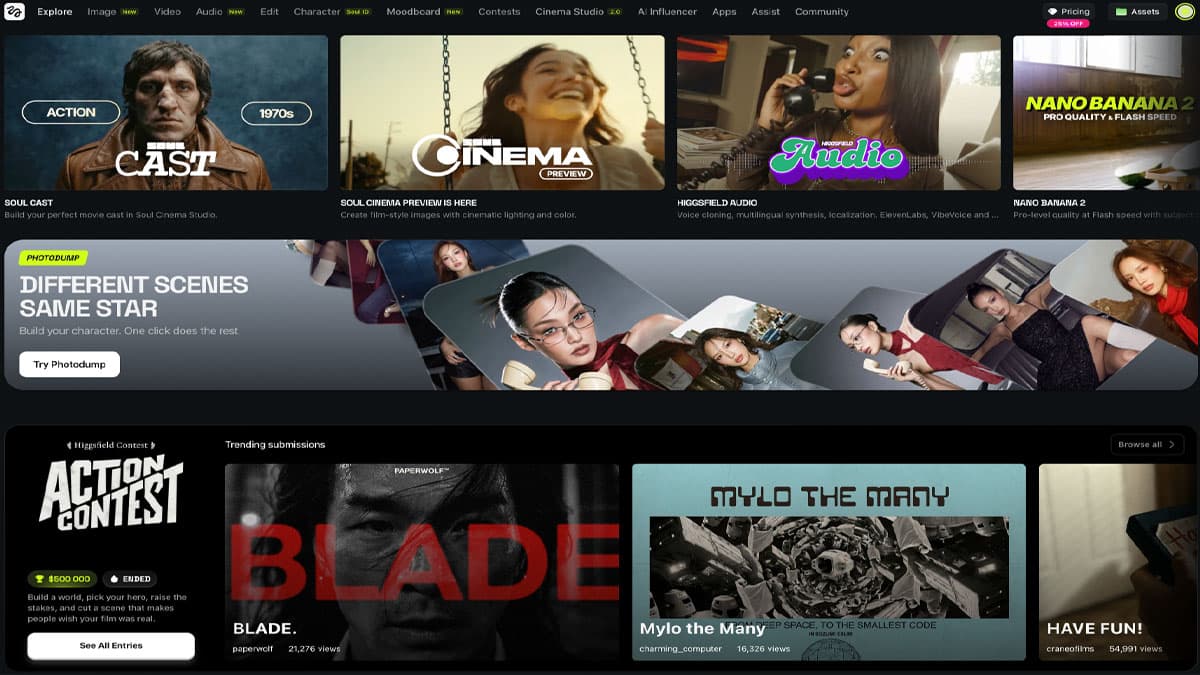
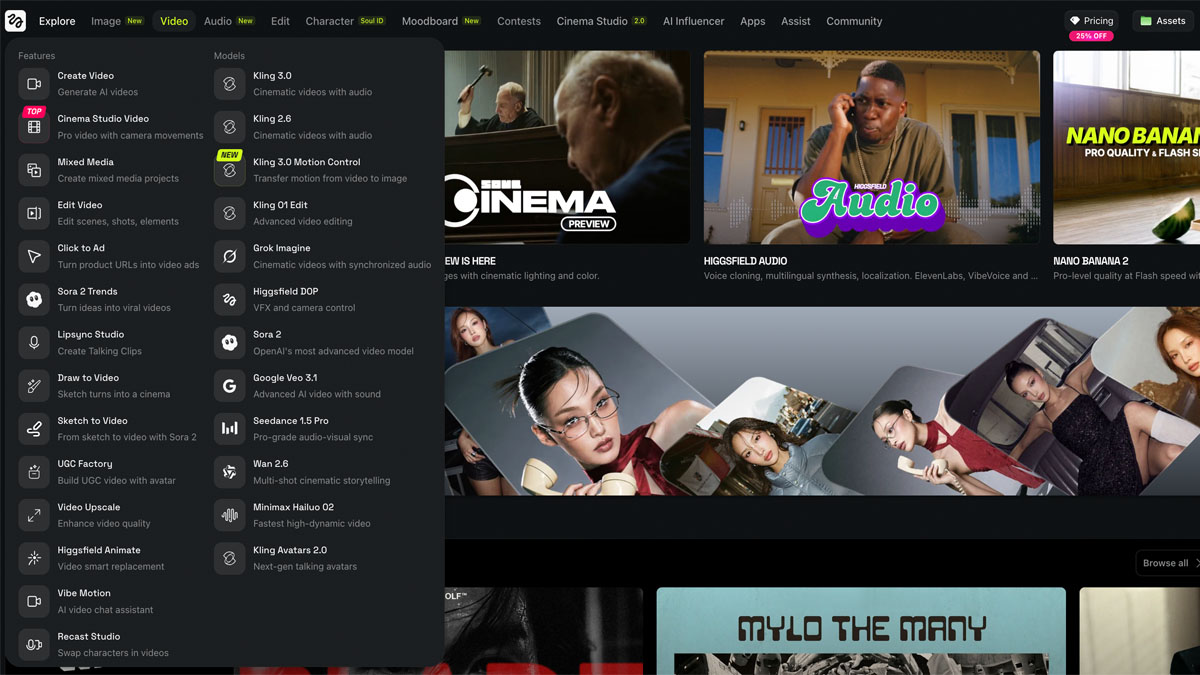
What sets Higgsfield apart is its positioning as a multi-model aggregator for video and image creation. Rather than relying on a single proprietary model, it integrates 15+ AI engines — including Sora 2, Kling 3.0, Google Veo 3.1, and proprietary models like Soul 2.0 — under one unified interface. Think of it as the OpenRouter of AI video generation.
By early 2026, Higgsfield reported over 15 million users, approximately 4.5 million videos generated per day, and raised a total of $138 million in funding at a $1.3 billion valuation.
Higgsfield AI — Score Breakdown
| Metric | Higgsfield AI | Poe | Leonardo AI | Playground |
|---|---|---|---|---|
| Ease of Use | 9/10 | 9/10 | 7/10 | 9/10 |
| Output Quality | 8/10 | 8/10 | 8/10 | 7/10 |
| Value for Money | 8/10 | 7/10 | 8/10 | 10/10 |
| Customer Support | 6/10 | 5/10 | 6/10 | 5/10 |
| Versatility | 8/10 | 9/10 | 8/10 | 7/10 |
| Overall Average | 7.8/10 | 7.6/10 | 7.4/10 | 7.6/10 |
Key Features
Higgsfield packs a remarkable number of capabilities into one platform:
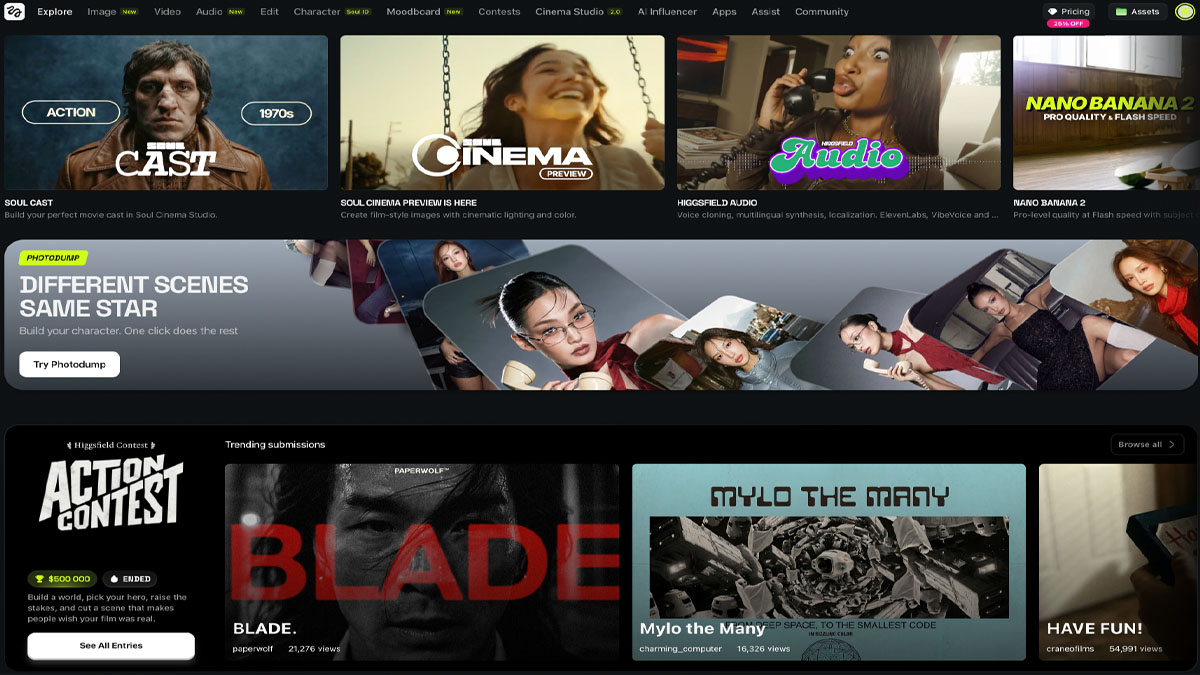
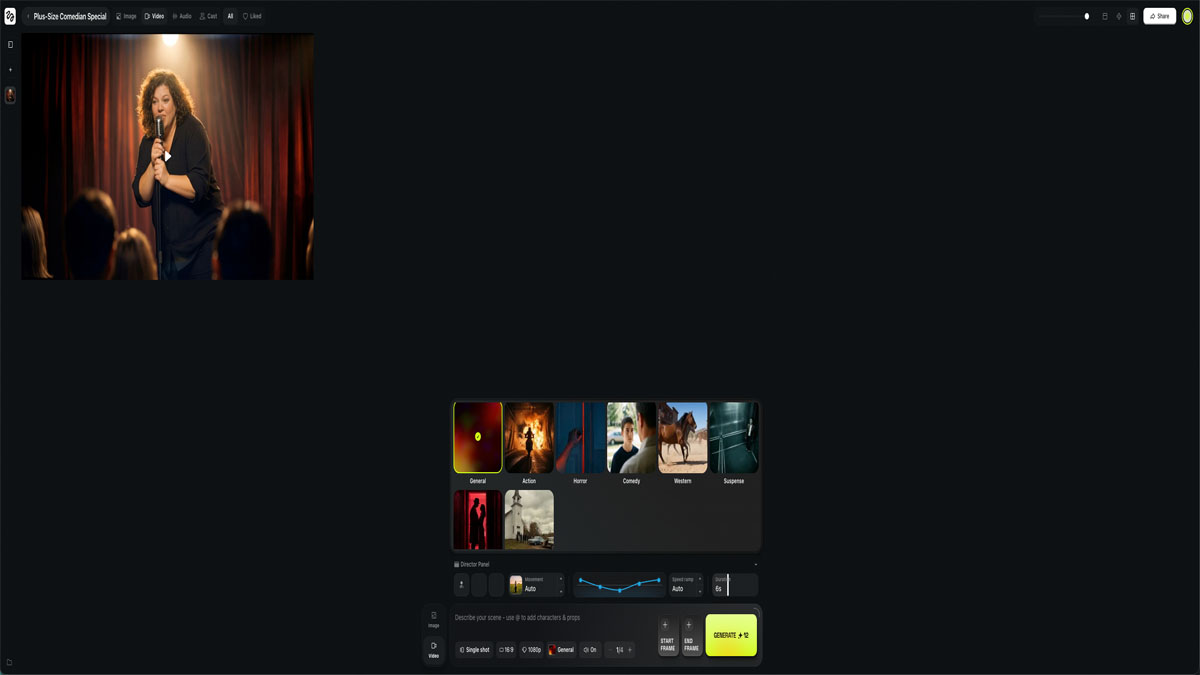
- Cinema Studio — The standout feature. A virtual camera rig with crash zooms, dolly movements, 360-degree orbits, crane shots, and Boltcam-style angles. You can stack up to 3 simultaneous camera movements and choose cinematic genres (Action, Horror, Comedy, Suspense) that influence pacing and motion energy.
- Multi-Model Access — Switch between 8+ video models in the same project. Use Sora 2 for hero shots, Kling 2.6 for product close-ups, and Veo 3.1 for social media cutdowns — all from one workspace.
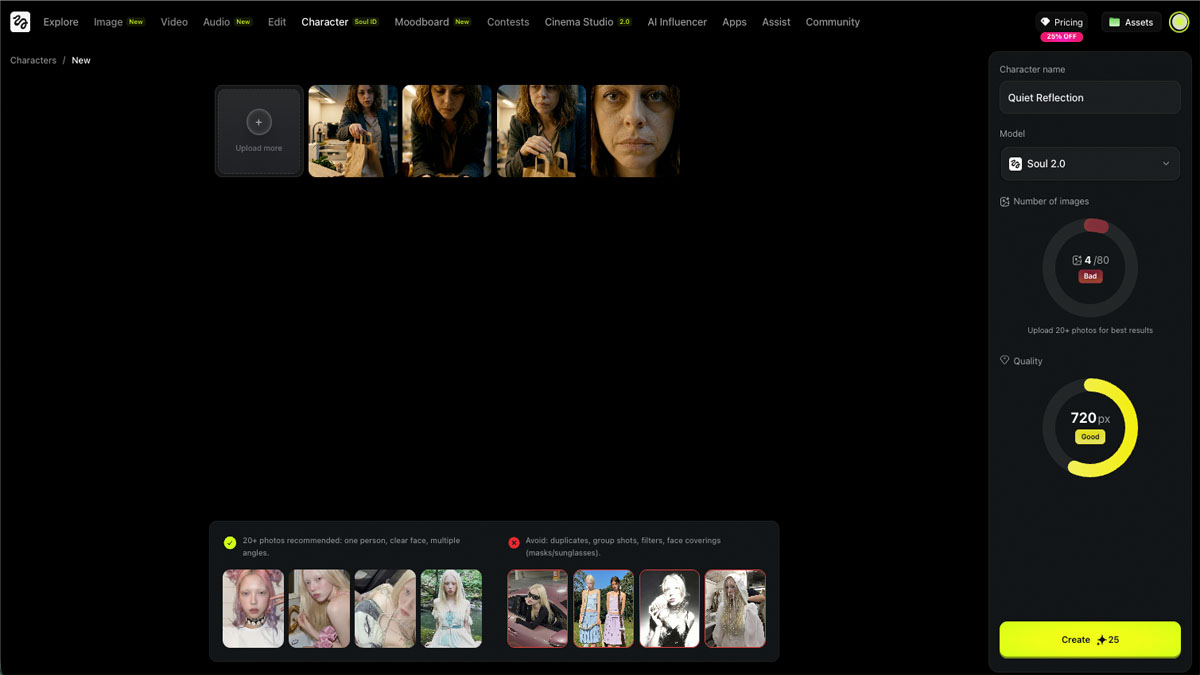
- Soul ID (Character Consistency) — Stores visual identity including lighting, tone, and motion settings so the same character appears consistently across multiple shots and storyboards.
- Storyboarding (Popcorn) — A multi-shot planning tool for sequences with consistent characters, framing, and pacing before rendering final video.
- Lip Sync Studio & Audio — Built-in synced sound and dialogue, eliminating the need for external audio tools.
- Special Effects Suite — Over 20 effects including Style Snap (outfit swaps), Plushies (toy-like animations), Recast (character swapping), Face Swap, and Transitions.
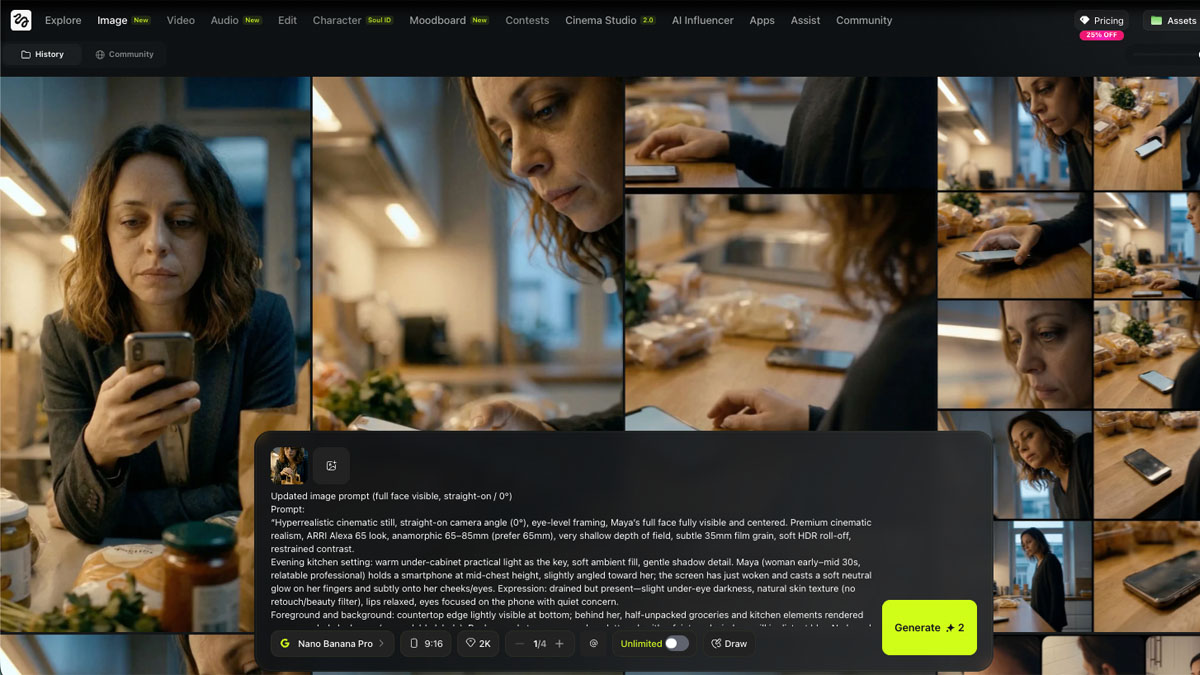
- Image Generation — Multiple image models including Nano Banana Pro for 4K aesthetic images and Seedream 4.5 for editing real photos.
- Higgsfield Assist — A built-in AI copilot for prompt refinement, model selection, and workflow planning.
- Mobile App (Diffuse) — Mobile-first app with daily free credits for on-the-go creation.
Pricing Plans
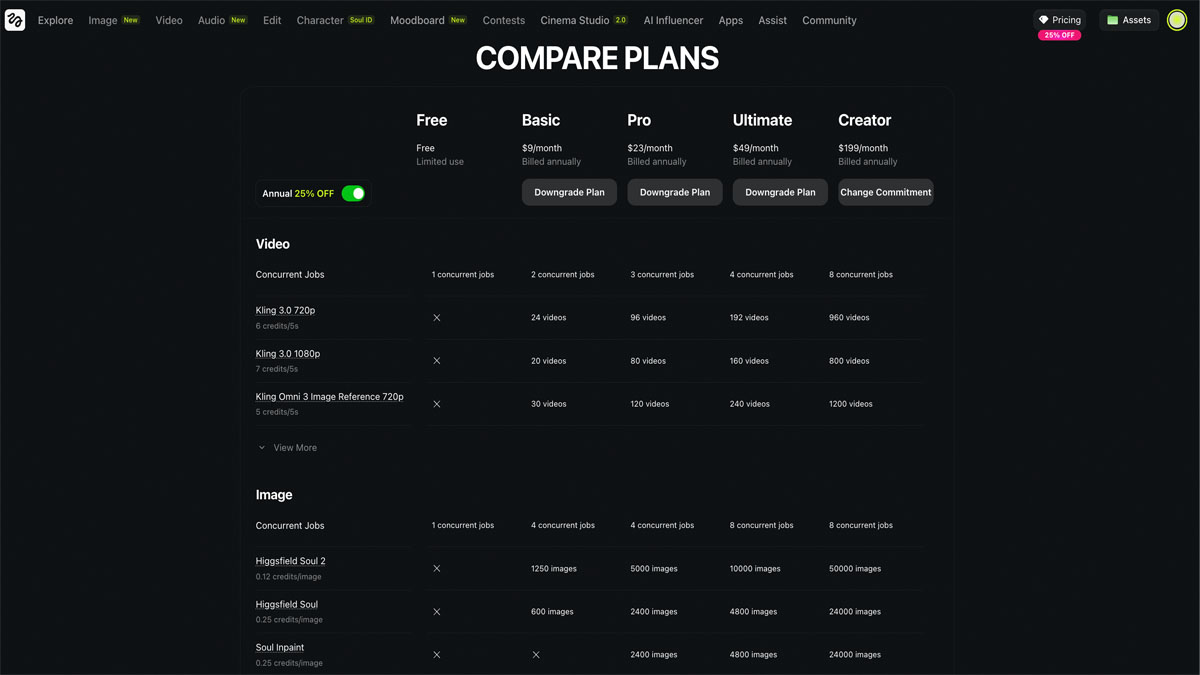
| Plan | Monthly Price | Key Inclusions |
|---|---|---|
| Free | $0 | 150 monthly credits, 2 image/video jobs, watermarked output, premium models locked |
| Basic | ~$9/mo | More credits, watermark-free, commercial use rights |
| Pro | $23/mo | Recommended tier — professional short-form content with audio and effects |
| Ultimate | ~$49/mo | Higher credit allowances, access to advanced models |
| Creator | $199/mo | ~6,000 credits, extensive features, collaborative tools |
| Enterprise | Custom | API access, pooled team credits, dedicated support |
Credit economics to know: Images cost 0.25–5 credits depending on model and quality. Videos cost 20–50 credits based on duration and settings. Premium models (Sora 2, Kling 3.0, Veo 3.1) consume significantly more credits. Monthly credits expire at billing cycle end, while purchased credit packs last approximately 90 days. Annual billing offers up to 58% savings.
Pros
- Unmatched cinematic camera controls — Real optical physics simulation with crash zooms, dollies, and cranes that no competitor currently matches.
- Multi-model flexibility — Access to 15+ video models under one subscription provides variety and cost efficiency.
- All-in-one workspace — Image generation, video generation, editing, character management, and audio in one platform reduces tool-switching.
- Strong photorealistic rendering — Fluid motion and quality for standard scenes, especially with premium models.
- Mobile-first design — Accessible for social media creators on the go via the Diffuse app.
- Commercial usage rights — Included on all paid plans.
- Soul ID character consistency — Valuable for multi-shot storytelling and brand campaigns.
- Competitive value — Claims 2-5x more output per dollar compared to some competitors.
Cons
- Short clip limits — Maximum 10-20 seconds per clip. Not suitable for long-form content without extensive stitching.
- High credit burn rate — Complex generations and premium models eat through credits quickly. The free tier is very limited.
- Prompt inconsistencies — Sometimes ignores prompt details or censors prompts unexpectedly.
- Limited manual editing control — The platform automates heavily but restricts fine-tuning options.
- Steep learning curve — Mastering the full feature set and credit economics takes time.
- Advanced features locked behind higher tiers — Face Swap Pro, Turbo models, and Speak features require Ultimate or Creator plans.
- Trust and billing concerns — There have been reports of UI defaulting to annual billing, "unlimited" plans being throttled queues, and account management issues. Worth researching before committing to higher-tier plans.
- Not ideal for abstract or conceptual content — Strongest with photorealistic and cinematic styles.
How to Use Higgsfield: Step-by-Step
- Create an account at higgsfield.ai — no software download required for the web version. You can also get the Diffuse mobile app.
- Define your creative goal — Identify the end use (marketing video, social content, art, education) and plan your shots accordingly.
- Choose the right model — WAN 2.6 for cinematic continuity, Minimax Hailuo 02 for fast iteration, Kling 2.6 for lip-sync and dialogue scenes.
- Upload an image or enter a text prompt — Use clean, high-resolution photos with visible faces for image-to-video. Keep text prompts under 20 words with specific mood and lighting cues.
- Apply presets and camera controls — Use Cinema Studio's ready-made camera moves, styles, and templates for faster, more consistent output.
- Generate and review — Click Generate, review the output like an editor, and adjust one variable at a time if the result needs refinement.
- Enhance with Sora 2 Enhancer — This normalizes tone, color, and motion to move clips from "impressive" to "publishable."
- Upscale if needed — Higgsfield Upscale enhances clarity and resolution for different distribution formats.
- Maintain identity with Soul ID — Store visual identity settings for reuse across campaigns and future videos.
- Export and publish — Export in format-specific versions optimized for each distribution channel (vertical for TikTok/Reels, horizontal for YouTube).
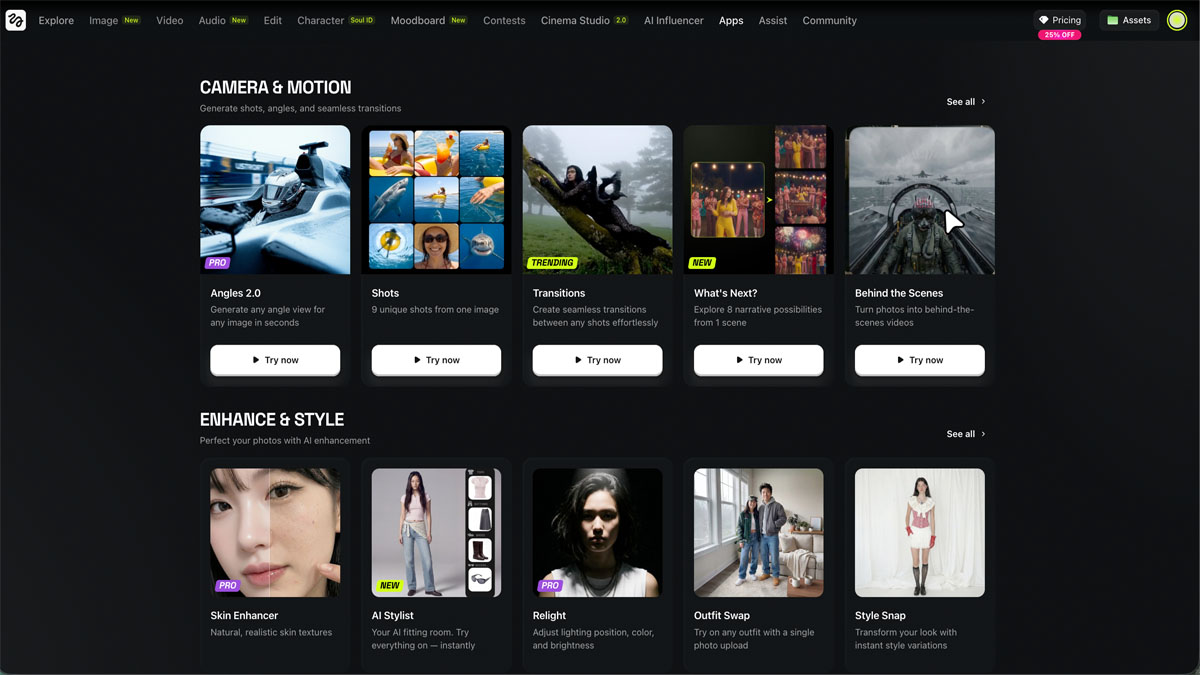
Higgsfield vs Other AI Creative Aggregators
Since Higgsfield is fundamentally a multi-model aggregator — not a single-model generator — the most meaningful comparison is with other platforms that also aggregate multiple AI models for creative content:
| Feature | Higgsfield | Poe by Quora | Leonardo AI | Playground AI |
|---|---|---|---|---|
| Primary focus | Video + image generation | Chat + image + video | Image + video | Image generation |
| Model count | 15+ video/image models | ~100 LLMs + image/video | 5+ image models | 5+ image models |
| Video generation | Core feature (15+ models) | Via bots (limited) | Motion generation | No |
| Cinema camera controls | Advanced (optical physics) | None | None | None |
| Character consistency | Soul ID | Per-bot memory | Character reference | Basic |
| Storyboarding | Popcorn (multi-shot) | No | No | No |
| Audio/lip-sync | Built-in | No | No | No |
| Target user | Video creators, agencies | General consumers | Designers, artists | Designers, hobbyists |
| Starting price | $9/mo | Free / $20/mo | Free / $12/mo | Free / $10/mo |
| API access | Enterprise only | Bot creation API | Yes (all plans) | Yes |
The core differentiator: While other aggregators focus on text (OpenRouter, Poe) or images (Leonardo, Playground), Higgsfield is the only platform that aggregates multiple video generation models with professional cinematic controls layered on top. Cinema Studio, Soul ID, and the Popcorn storyboarding tools have no equivalent in other aggregator platforms.
If you need multi-model access for text/chat, look at our full aggregator comparison. If you need it specifically for video production, Higgsfield is currently the only serious option.
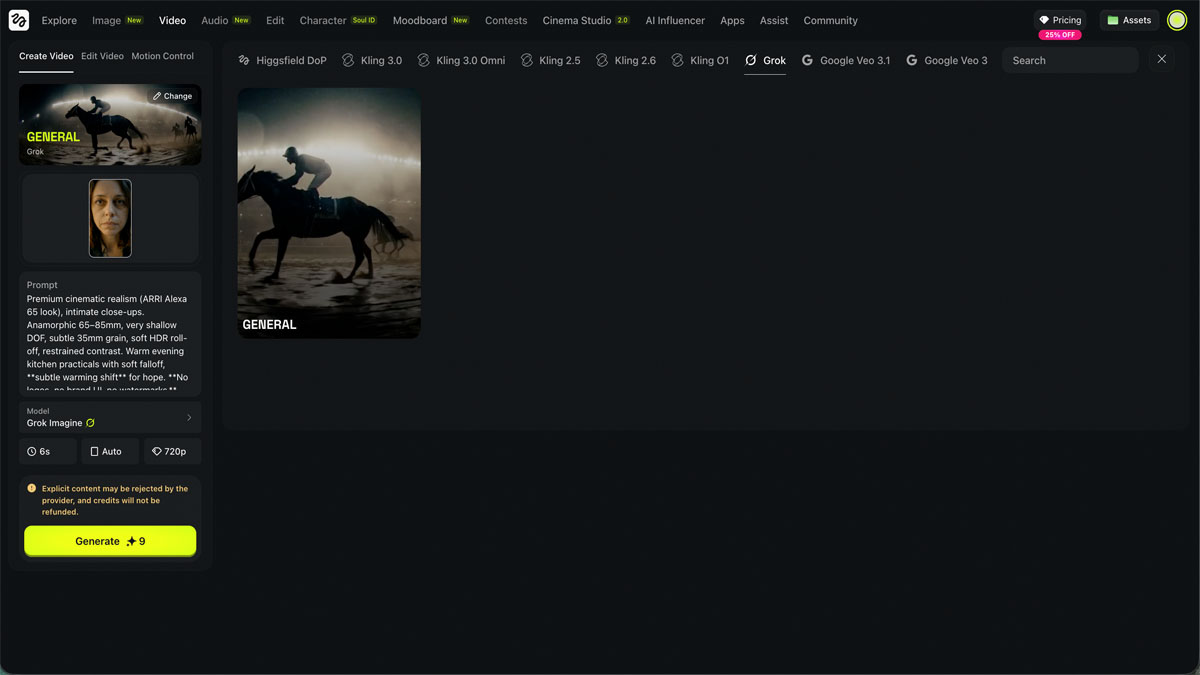
Who Should Use Higgsfield?
Best for:
- Social media marketers and influencers who need fast, attention-grabbing video content
- Short-form content creators producing for TikTok, Instagram Reels, and YouTube Shorts
- Small studios and agencies needing volume production of personalized video assets
- E-commerce brands creating product videos from product images or links
- "Prosumers" who want professional-level control without full production teams
Not ideal for:
- Long-form filmmakers needing clips beyond 20 seconds
- VFX professionals requiring frame-by-frame precision
- Budget-conscious creators (credit costs add up on premium models)
- Those needing abstract or highly conceptual visual styles
The Bottom Line
Higgsfield is the most ambitious AI video aggregator platform in 2026, offering something no competitor does: multi-model video access with professional cinematic controls in one workspace. The Cinema Studio's optical-physics camera simulation is genuinely impressive, and the ability to switch between Sora, Kling, and Veo models within a single project eliminates the need for multiple subscriptions.
However, the platform has growing pains. Short clip limits, high credit consumption on premium models, and reported billing concerns mean you should start with a lower-tier plan to test the waters before committing to Creator or Enterprise pricing.
For social media creators and agencies producing high volumes of short-form video content, Higgsfield offers unmatched variety and creative control. For those who need multi-model access primarily for text or images rather than video, aggregators like OpenRouter or Poe may be better fits.